
5 Reasons to Use a Website Demo Before Hiring Web Development
Website Demo: What It Is and Why It Matters
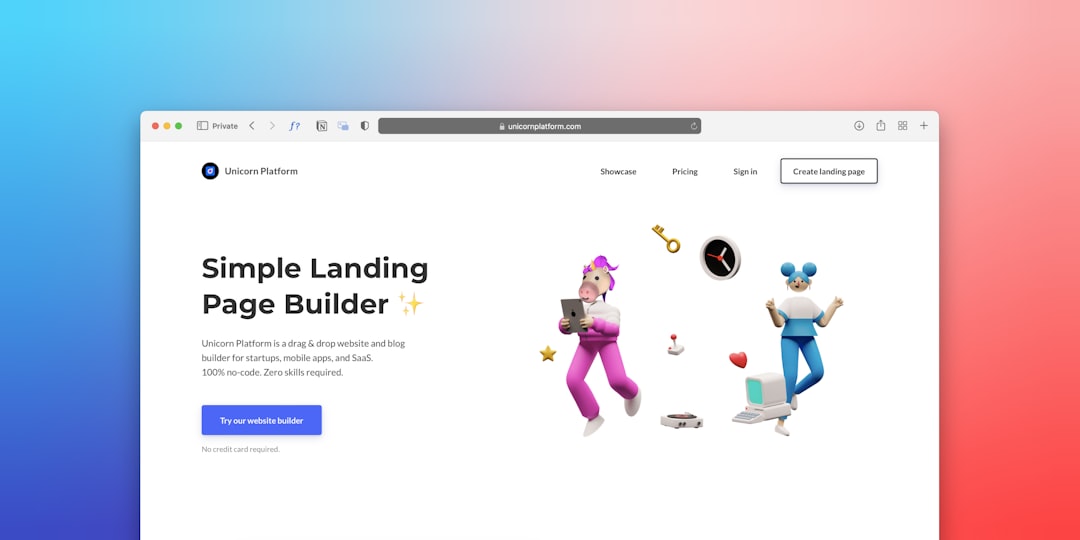
A Website Demo is a preview of a live site created to show how a project could look and function before you commit to a full build. It highlights design direction, navigation patterns, content structure, and interactive elements so you can judge whether the approach fits your business needs. For small business owners, a demo makes abstract ideas tangible and reduces guesswork as you plan a new online presence. A well crafted Website Demo also helps you discuss priorities with an agency or freelancer in clear terms, avoiding misaligned expectations later on.
In practice, a Website Demo is not a finished product, but a tested representation of what your site could become. It may include homepage mockups, sample content blocks, and interactive elements such as menus, forms, or simple animations. The goal is to provide a realistic feel for user experience and to surface questions about branding, messaging, and functionality early in the process. When you see how your brand and goals map to a visible prototype, you can move forward with confidence rather than relying on vague estimates or brochures.
How a Website Demo Improves Client Experience
The client experience is about clarity, collaboration, and confidence. A Website Demo acts as a shared reference point that aligns expectations between you and the development team. Instead of long emails and scattered notes, everyone can reference a concrete example of layout, content placement, and user flow. This reduces back and forth, speeds decisions, and helps you measure progress against real visuals rather than concepts alone.
Below are concrete benefits a Website Demo delivers for clients and teams:
- Clear design direction based on actual screens rather than verbal descriptions
- Realistic user journeys that reveal how visitors will interact with menus, forms, and CTAs
- Early feedback opportunities from stakeholders, marketing teams, and end users
- Improved alignment on content strategy, including headlines, CTAs, and media balance
When MakeWebsite.now is used to generate a Website Demo, agencies can quickly illustrate options and you gain a hands on sense of how your site will feel in daily use. A demo also helps you compare potential partners side by side, which is particularly useful if you are evaluating multiple quotes. By focusing on practical output rather than promises, you protect your time and investment while strengthening the client experience.
From Concept to Confirmation: The Role of a Website Demonstration in Web Development
A Website Demonstration serves as the bridge between an initial concept and a confirmed plan. It translates goals such as increasing online bookings, improving lead capture, or showcasing products into tangible layouts and interactions. When stakeholders review a demonstration, they can confirm whether the messaging, color palette, typography, and content hierarchy support business objectives. This process reduces the likelihood of late changes that delay timelines and inflate costs.
Beyond aesthetics, a strong demonstration reveals how the site will function in the real world. For example, you might see how a contact form performs, whether the navigation remains intuitive on mobile, or how quickly pages load. These insights can influence technical decisions long before code is written. In today’s market, a website is a core part of your online presence, and a thoughtful demonstration helps ensure it aligns with your strategic goals and user needs.
How to Get a Strong Website Demo Before Committing
Getting a meaningful Website Demo starts with clear goals. Write down the top three actions you want visitors to take on your site — for example, book a service, request a quote, or download a resource. Share these goals with your design and development partner so the demo focuses on real user flows. Then, prepare assets such as your logo, color codes, font choices, and any brand language you want reflected in the visuals.
Next, specify what needs to be demonstrated. Do you want a specific page layout, a blog design, or an e commerce capability? Clarify device considerations, accessibility expectations, and basic performance targets. After reviewing the initial demo, plan for a second iteration that incorporates feedback from stakeholders. Finally, decide on success criteria and a revision window so both sides know when adjustments will be made. This practical approach keeps the project moving smoothly and helps you avoid scope creep.
- Define success metrics for the demo such as engagement with CTAs or time on key pages
- Provide brand assets and a clear style guide to ensure visual consistency
- Request interactive elements that reflect real user actions
- Test the demo on multiple devices and screen sizes
- Collect structured feedback within a set timeframe
- Agree on a revision plan with a realistic timeline
What a Great Website Demo Should Include
A well crafted Website Demo covers critical elements that affect user experience and business outcomes. It should present a realistic homepage as well as key interior pages to show how content will be organized. Additionally, the demonstration should address how your site will handle inquiries, bookings, or product sales. Finally, it should illustrate how your branding will translate across devices and channels.
- Realistic homepage and inner page templates that reflect your messaging
- Navigation that mirrors typical user paths and prioritizes important actions
- Content blocks with placeholder text that resembles your actual content strategy
- Responsive behavior across desktop, tablet, and mobile
- Basic accessibility and semantic HTML structure for screen readers
- Lead capture and integration points with your CRM or email service
In addition, a good Website Demo should demonstrate how your site will perform in real conditions. It should reveal load times, image optimization, and how quickly interactions respond to user input. AI tooling in the background can suggest layout improvements or content variations, helping you see multiple creative directions without waiting for full development. This approach helps your team stay aligned and makes a decision easier.
Addressing Common Objections About Website Demos
Some teams worry that a Website Demo takes too long or costs more upfront. The truth is that a focused demonstration saves time by clarifying requirements early and reducing the risk of rework. A well scoped demo should not exceed a few days of effort, even when multiple pages are showcased. If the process feels lengthy, ask for a sprint style plan with specific milestones and a fixed review window. You can also request a lighter version that still captures essential user flows if your timeline is tight.
Another concern is whether a demo will accurately reflect the final product. While a demo cannot replace a complete build, it should reflect your brand, content strategy, and user journeys closely enough to inform decisions. If you notice mismatches in tone or functionality, flag them early and request adjustments. When you approach the demo as a collaborative tool rather than a contract, you get the most value from the exercise, and you preserve room for refinement after you commit.
Frequently Asked Questions
What is a website demo?
A website demo is a preview of a site design and interaction that helps you evaluate layout, content, and user flows before committing to a full build. It is not the finished product but a working representation of key pages and features.
How long does a website demo take to produce?
Most demos can be created in a few days to a couple of weeks depending on scope. A focused demo with a few critical pages is faster, while a broader demo with multiple pages and interactions will take longer. Clear requirements help keep the timeline realistic.
Can a website demo reflect my branding?
Yes. A good demo will use your logo, color palette, typography, and voice to give a true sense of your brand. If you provide style guides and asset files, the results will be closer to final branding.
Is a website demo necessary before selecting a developer?
While not strictly required, a demo makes it much easier to compare proposals and ensure everyone agrees on direction. It reduces misalignment and speeds up decision making by providing concrete visuals to discuss.
Are AI powered demos accurate for my business?
AI driven demos can simulate layouts and interactions with relevant content blocks. They provide realistic scenarios, but they should be treated as directional previews. Real data and custom development come later in the project.
What should I do after reviewing a website demo?
After reviewing, compile a short list of required changes and priorities. Share the feedback with the development partner and set a clear revision timeline. Use the results to finalize scope and start the full build with confidence.
Conclusion: Website Demo Takeaways for Smart Decisions
A Website Demo offers a practical way to evaluate web development options and improve client experience before committing. By visualizing layout, content, and interactions, you gain clarity that supports informed decisions and smoother collaboration. When used consistently, demos help teams align on goals and reduce uncertainty as projects move from concept to live site. If you are exploring how to present your brand online, a well crafted Website Demo can be a valuable first step to a stronger online presence with less risk. Consider trying a demo early in the process to sharpen your plan and set realistic expectations for all stakeholders. For teams seeking an efficient way to generate realistic previews, tools like MakeWebsite.now can streamline the process and provide compelling visuals without lengthy setup. This approach keeps the focus on outcomes and practical next steps.