
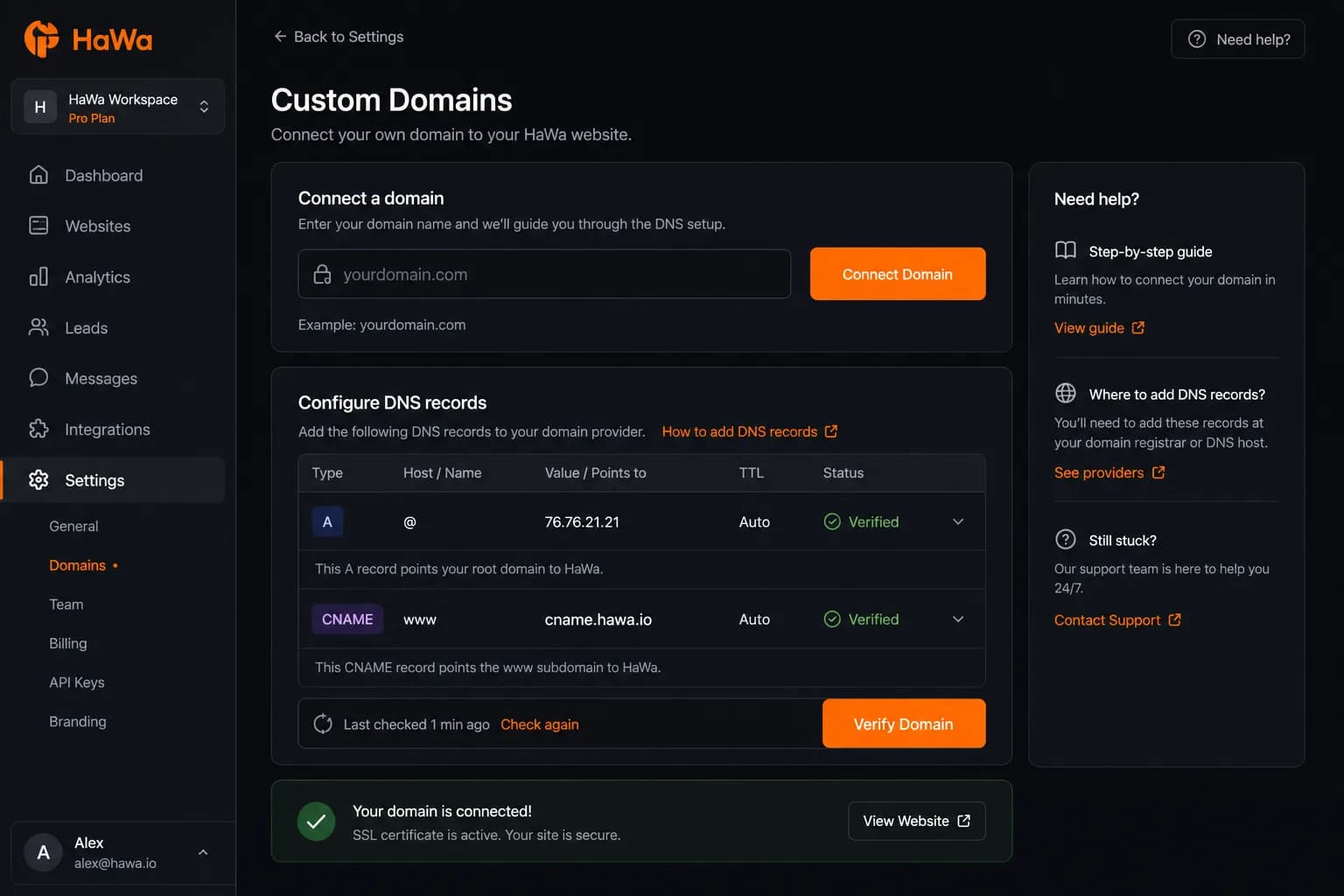
Brand on the URL
Visitors land on your domain instead of only a platform preview link.
How it works in HaWa
By default only Premium sites can connect a custom domain. Without entitlement the API returns 402. Free sites stay on the platform host/preview flow.
HaWa does not sell domains. In the dashboard Domain tab you add the host and follow nameserver / A / CNAME guidance (DigitalOcean nameservers are prompted; A/CNAME targets come from platform env config).
Use Check DNS in the panel. Verification queries public DNS. Status moves from pending to verified when records match. Propagation commonly takes hours — not seconds.
Verified hosts are served through HaWa’s custom-domain path. The dashboard itself always stays on the platform host. Serving still requires an active Premium/custom-domain entitlement.
Outcomes
Visitors land on your domain instead of only a platform preview link.
Domain connect is a paid entitlement — evaluate the page on Free first.
Connect, verify, and disconnect from the dashboard without a ticket for routine cases.
Plan for DNS propagation (often 1–5 hours) rather than instant cutover.
Questions
Not with default plan settings. Custom domains require Premium (unless an admin changes plan configuration).
No. You buy/manage the domain at your registrar, then point DNS/nameservers as instructed in the Domain panel.
After correct DNS, verification can succeed once public DNS updates — often within a few hours. Instant cutover is not guaranteed.
Serving on the custom domain still checks entitlement. Without Premium/custom-domain access, the domain path can stop serving the site.