
By HaWa · Updated July 23, 2026
› Leads are a system, not a button color
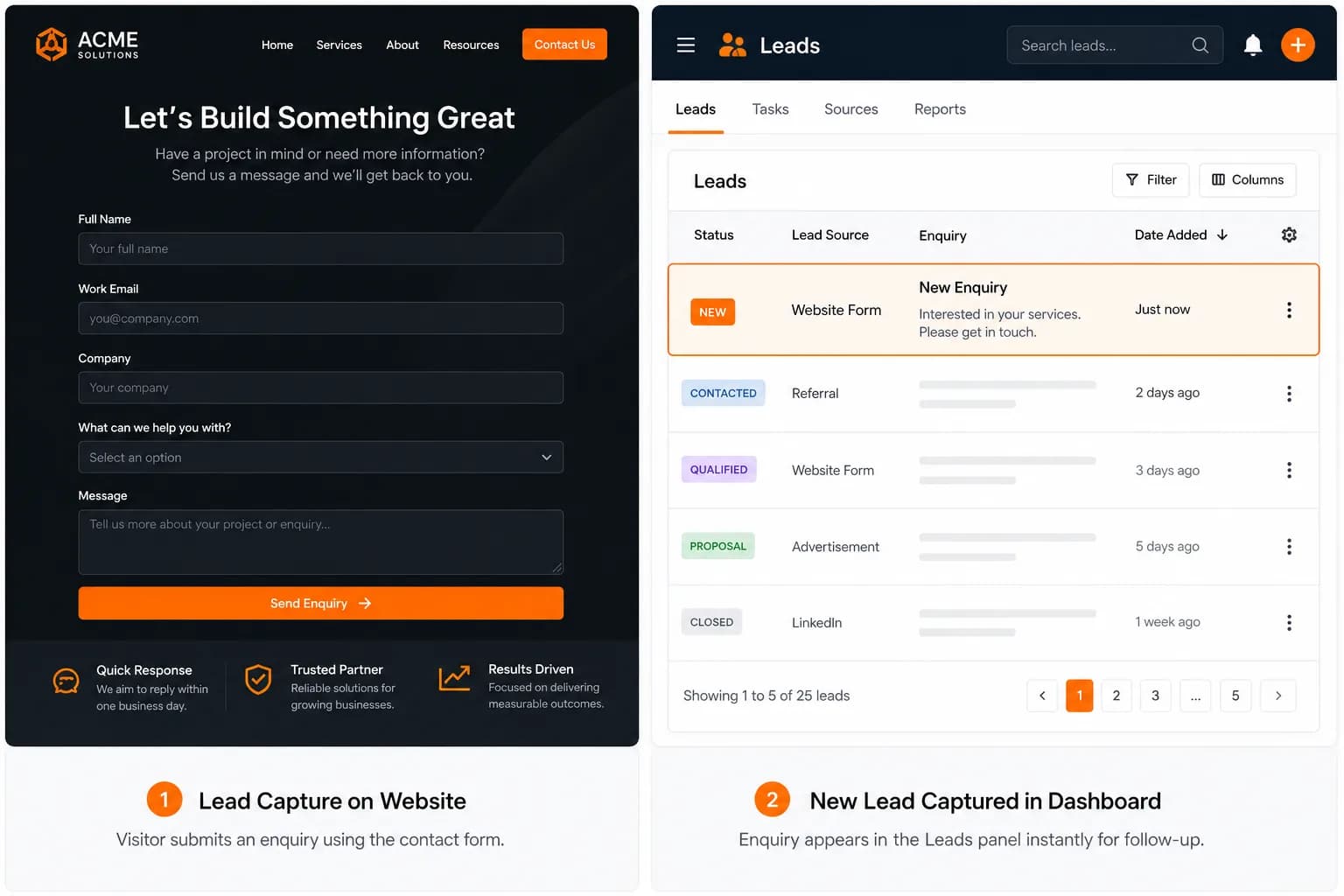
A lead is a person who gave you a way to continue the conversation — usually name + contact + intent. HaWa wires that through on-page contact forms, a dashboard list in lead management, and optional email alerts. Charts in website analytics summarize volume; they do not replace calling people back.
Default forms collect standard fields (name, email, phone, message) — not custom file uploads. For photos or long scopes, ask in the message field or follow up by text after the lead arrives.
› Five moves that actually increase enquiries
- 1
Match the CTA to how you sell
“Submit” is weak. Use industry language: Book a Table, Request a Quote, Schedule a Consultation, Get a Home Valuation — see industry playbooks for CTA patterns that fit the vertical. - 2
Put the ask where intent peaks
Repeat the primary CTA after proof sections, not only in the hero. On mobile, keep click-to-call visible. HaWa one-pagers are built for enquiry paths — don’t bury the form under six unrelated widgets. - 3
Ask for the minimum useful data
Every extra field drops completion. Name + contact + a message prompt (“What service and zip?”) beats a ten-field questionnaire. HaWa’s form shape already favors that minimum. - 4
Respond while the problem is warm
Check Leads during business hours; refresh for the newest 100 submissions. Optional email alerts help, but the competitive edge is a same-day call or text — especially for contractors and real estate. - 5
Send traffic that already wants you
GBP, Google Ads for brand+service, email signatures, and invoice footers beat random social boosts. Pair with the SEO checklist so organic visitors land on accurate offers.
› Message prompts that qualify leads
Coach visitors in the form helper text or nearby copy. Examples you can paste into the editor:
Contractors: “Include job type, city/zip, and preferred timing.” · Salons: “Service + preferred days.” · Consultants: “Goal for the first call + company size.” · Restaurants: “Party size + date (or takeout order notes).”
› Weekly lead ops checklist
- ☐Test-submit the live form once after any editor publish.
- ☐Confirm new leads appear in the dashboard Leads panel.
- ☐Reply to every lead within your stated SLA (same day is a strong default).
- ☐Log no-shows / bad-fit reasons so you can tighten on-page qualification copy.
- ☐Compare lead counts in analytics week over week — investigate sudden drops.
- ☐Keep Premium/domain online so the URL in ads and GBP does not 404.
Not a CRM (yet)
HaWa lead management is a focused inbox for site enquiries — not pipelines, deal stages, or team assignment. Export or copy hot leads into your CRM if you need that workflow.