
By HaWa · Updated July 23, 2026
› What “done” means for a small business site
For most local and service businesses, version one is not a 12-page brochure. It is a single page that states who you serve, what you offer, why you are trustworthy, and how to contact you. HaWa is built for that outcome — see the small business website builder overview if you want the product framing first.
If you need a multi-page store or complex booking engine later, start with a strong one-pager anyway. It clarifies messaging and gives you something to show clients while you plan a larger build.
› Seven steps from idea to live page
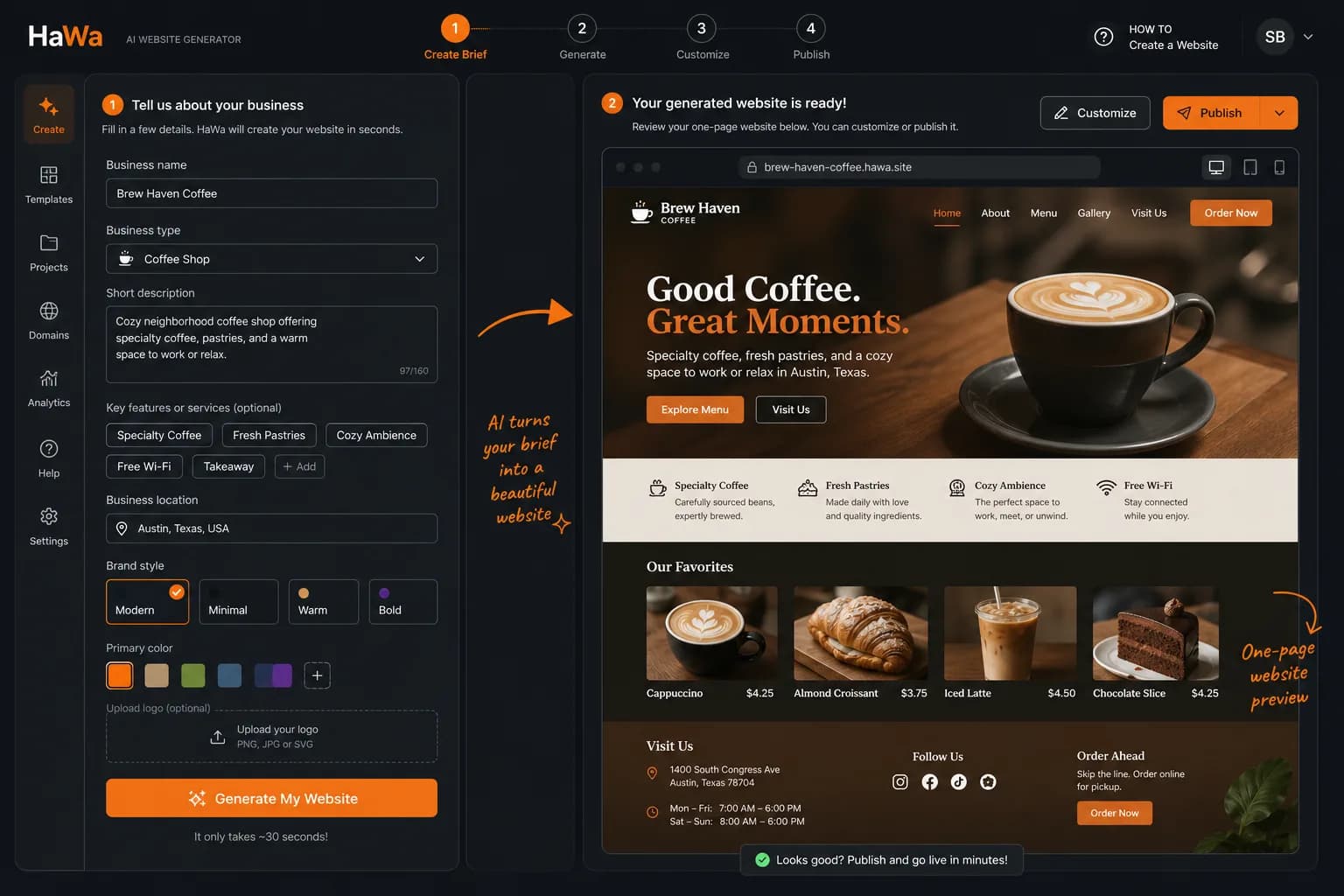
This mirrors HaWa’s real loop on How it works: brief → generate → edit → publish → leads.
- 1
Gather the facts AI cannot invent safely
Write down: legal/trade name, city or service area, 3–6 services, phone, email, hours, and one proof point (years in business, license #, notable clients). Photos of real work beat stock — even phone shots. - 2
Open the generator and write a tight brief
On the homepage generator, describe the business in plain language. Name the industry (or use an industry playbook for section ideas). Vague briefs produce vague pages. - 3
Generate a free demo
HaWa’s AI website generator builds a full one-page draft with sections, copy, and a contact path. Demos are free — no card required to evaluate quality. - 4
Fact-check in the visual editor
Open the website editor and fix anything that must be exact: prices, neighborhoods, phone numbers, and claims you cannot defend. AI drafts; you own the facts. - 5
Confirm the enquiry path works
Submit a test through the contact form, then check lead management in the dashboard. A pretty page that cannot capture leads is unfinished. - 6
Publish when the page is accurate
Go live on HaWa when copy and contact details are correct. Compare Free vs Premium on pricing — Premium is required to keep a site published with Premium entitlements (including custom domains). - 7
Connect your domain (optional but recommended)
With Premium, follow custom domains instructions in the dashboard so customers land on yourbrand.com instead of a HaWa hostname.
› Pre-publish checklist
- ☐Business name and phone match your Google Business Profile / cards.
- ☐Service area is honest (no cities you refuse to serve).
- ☐Primary CTA matches how you sell (call, quote, book, consult).
- ☐At least one real photo or project proof is on the page.
- ☐Test form submission appears in Leads.
- ☐Mobile: hero CTA and phone are reachable without hunting.
Time-box the first version
Aim for a publishable draft in one sitting. Perfecting every sentence before going live usually means you never launch. Ship accurate basics, then iterate with the editor.